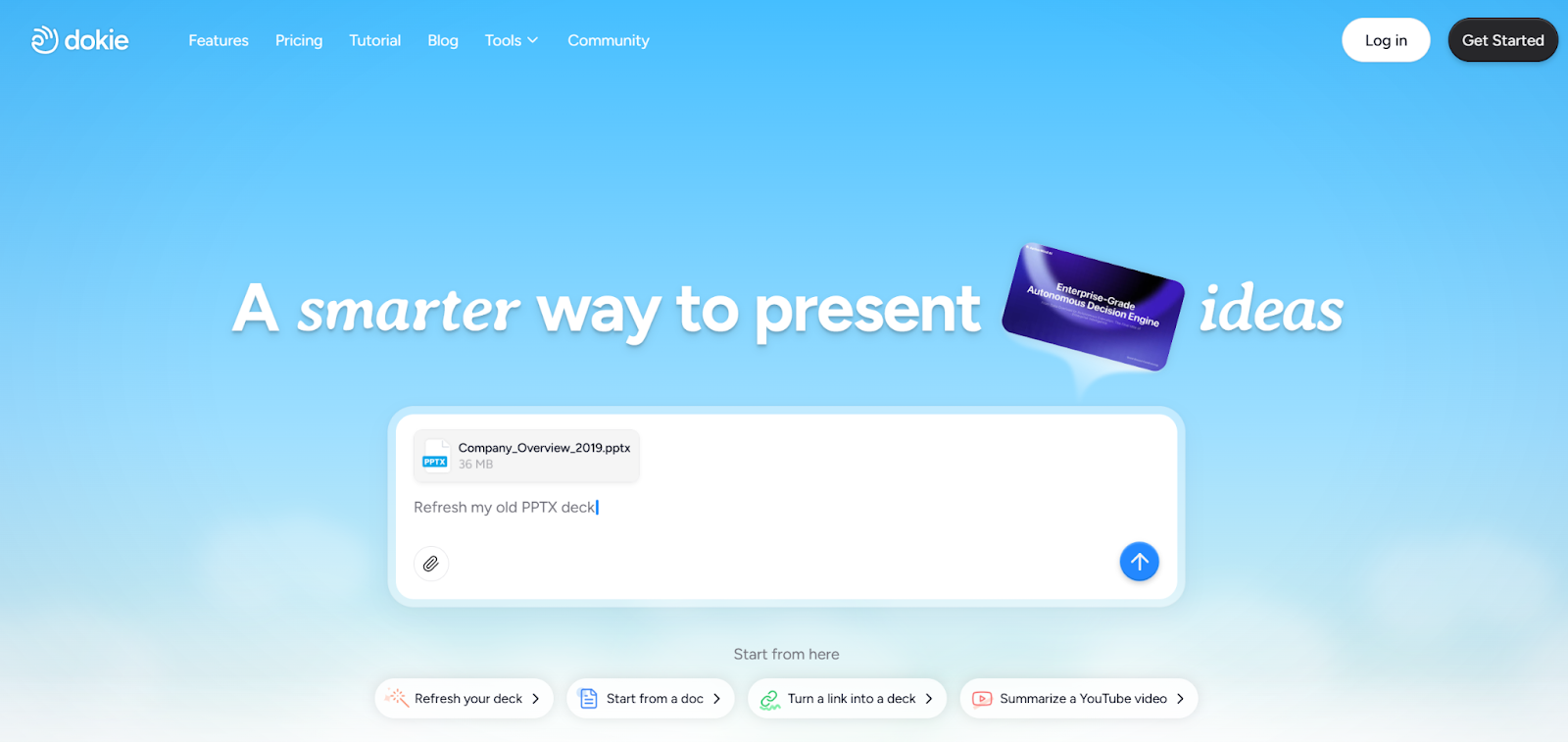
Most AI presentation tools try to impress you with design. Dokie AI takes a different path—it helps you get work done faster.
What is Dokie AI?
Dokie AI is an AI presentation maker that turns ideas, documents, and data into structured slide decks.
It is built for people who create presentations as part of their daily work. Instead of focusing on visuals, Dokie AI focuses on something more important: usable output.
This means the slides it generates are:
- Logical
- Clear
- Easy to edit
- Ready for real meetings
Why Dokie AI Feels Different
Many AI PPT tools look impressive at first but require heavy editing before you can actually use the slides.
Dokie AI solves this problem by focusing on:
- Slide structure
- Content clarity
- Business usability
The result is a presentation that feels closer to a final draft, not just a rough idea.
Key Features
1. AI Slide Generation with Clear Structure
Dokie AI doesn’t just generate slides—it builds a full presentation flow.
You get:
- Introduction slides
- Key sections
- Supporting points
- Summary
This makes it easier to present without needing to reorganize everything.
2. Complete Set of AI PPT Conversion Tools
Dokie AI provides a powerful set of free tools that convert different types of content into slides:
- PDF to PPT
- Word to PPT
- Text to PPT
- Excel to PPT
- JPG to PPT
- PNG to PPT
- HTML to PPT
It also includes a document-to-PPT feature, which is useful for turning long-form content into structured presentations.
This feature set is especially helpful for repurposing existing content instead of starting from scratch.
3. Designed for Business Use
Dokie AI is clearly built with business users in mind.
The slides are:
- Straightforward
- Easy to present
- Suitable for meetings
This makes it ideal for:
- Reports
- Strategy decks
- Client presentations
4. Fast and Efficient Workflow
One of the biggest benefits of Dokie AI is speed.
Instead of spending hours building slides, you can:
- Input your topic
- Generate a full draft
- Edit and finalize
This can reduce presentation time from hours to minutes.
5. PowerPoint Export for Easy Use
Dokie AI allows users to export presentations as PowerPoint files.
This ensures:
- Compatibility with company workflows
- Easy sharing with teams
- No need to recreate slides manually
Real Use Cases
Marketing Teams
Marketing professionals often create:
- Weekly reports
- Campaign updates
- Performance summaries
Dokie AI helps by organizing data into clear slides quickly.
Sales and Client Work
Sales teams can use Dokie AI to:
- Build pitch decks
- Create proposals
- Prepare client presentations
The structured output makes it easier to communicate ideas.
Founders and Startups
For founders, time is limited.
Dokie AI helps create:
- Investor decks
- Product presentations
- Strategy slides
Pros and Cons
Pros
- Strong focus on structure and clarity
- Saves time on repetitive tasks
- Multiple file-to-PPT tools
- Easy to use
- PowerPoint-friendly output
Cons
- Limited design flexibility
- Not ideal for highly visual presentations
- Fewer templates compared to design-heavy tools
Dokie AI vs Other Tools
Most AI presentation tools fall into two categories:
Design-Focused Tools
These tools focus on:
- Visual style
- Layout creativity
- Aesthetic appeal
Practical Tools (Dokie AI)
These tools focus on:
- Functionality
- Structure
- Usability
Dokie AI is clearly in the second category.
For professionals, this often matters more than design.
Productivity Benefits
Dokie AI changes how you create presentations.
Instead of:
- Starting from a blank slide
- Building everything manually
- Spending hours formatting
You can:
- Generate a structured draft instantly
- Make quick edits
- Deliver faster
This is especially useful for people who create presentations frequently.
Who Should Use Dokie AI?
Dokie AI is ideal for:
- Marketers
- Consultants
- Sales teams
- Business analysts
- Startup founders
If you need to create presentations often, Dokie AI can save you a lot of time.
Who Should Not Use Dokie AI?
Dokie AI may not be the best choice for:
- Designers who want full creative control
- Users who prioritize visuals over structure
- Creative storytelling presentations
Final Thoughts
Dokie AI focuses on what really matters: helping you create presentations faster and more efficiently.
If you value speed, structure, and usability, it is one of the best AI PPT makers available today.
FAQs
1. Is Dokie AI good for business presentations?
Yes, it is specifically designed for business use and structured slide creation.
2. Can Dokie AI convert files into PPT?
Yes, it supports PDF, Word, Excel, images, and HTML to PPT conversion.
3. Does Dokie AI support PowerPoint export?
Yes, you can export presentations directly into PowerPoint format.
4. Is Dokie AI beginner-friendly?
Yes, it is easy to use and requires no design experience.
5. How fast can I create a presentation with Dokie AI?
You can generate a full presentation draft in just a few minutes.