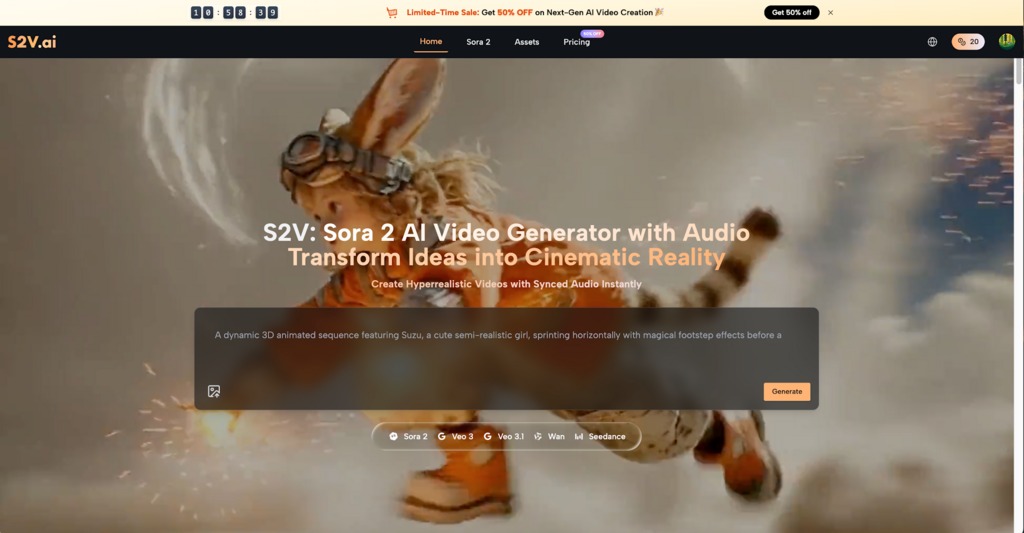
Filmmaking is a race against time and money. For independent directors, the gap between a script’s first draft and the first day of shooting is often where the vision gets compromised. You need to show investors and crew exactly what is in your head, but hiring concept artists or building 3D animatics is prohibitively expensive. This is where the Sora 2 Video Generator steps in. By turning text prompts into high-fidelity video sequences, S2V allows creators to solve visual problems before they become budget disasters, effectively bringing the Hollywood luxury of pre-visualization to the indie desktop.
I. The Expensive Problem of “Blind” Production
1. The Flaw of Static Mood Boards
Most indie pitches rely on “Look Books”—PDFs filled with photos stolen from other movies or Pinterest. While these static images can suggest a vibe, they fail to communicate pacing, camera movement, or spatial geography. A photo of a “Cyberpunk City” cannot show a producer how you intend to track a vehicle through traffic or how the neon lights reflect off wet pavement during a high-speed chase. When you rely on static references, you are asking your team to guess the motion. S2V eliminates the guesswork by generating the motion itself.
2. The Risk of Misaligned Visions
A script might read: “The warrior looks intimidating.” To the director, this means a stoic, silent figure. To the cinematographer, it might mean dramatic, high-contrast lighting. To the costume designer, it might mean bulky armor. If these three people don’t get on the same page until the day of filming, you lose hours arguing on set. Using video generation as a briefing tool ensures that every head of department sees the same reference footage, aligning the crew on lighting, tone, and composition weeks in advance.
3. The Pitching Hurdle
Investors invest in confidence. Telling them you have a “great sci-fi idea” is weak. Showing them a 30-second teaser trailer—complete with sound effects and consistent visuals—is powerful. It proves competence and reduces the perceived risk of the project.
II. Mastering Narrative with the Pro Storyboard Feature
Standard AI video tools are often toy-like because they generate random, disconnected clips. S2V distinguishes itself with the “Pro Storyboard” feature, which is engineered specifically for storytelling. It moves beyond generating a single “cool shot” to generating a coherent sequence.
1. Locking Character Identity
The most critical breakthrough for narrative use is character consistency. In older models, a character would “morph” between shots—changing clothes, faces, or even gender. The Pro Storyboard model allows you to define a protagonist and keep them recognizable across multiple scenes. For instance, if you are visualizing a scene with a “Cyberpunk Warrior” in black tactical armor with a glowing red visor, S2V ensures that when you cut from a wide shot of the street to a close-up of the helmet, the armor design remains identical. The pulsing red light on the visor and the specific texture of the suit persist, maintaining the audience’s suspension of disbelief.
2. Seamless Scene Continuity
Continuity isn’t just about characters; it’s about the world they inhabit. If your opening shot is a “Snowy Valley at Dusk” with soft, pink-hued lighting, the subsequent shots must match that specific time of day. The Pro Storyboard engine analyzes the visual data of your establishing shot and applies those atmospheric parameters to the rest of the sequence. Whether you are cutting to a close-up of snow sliding off a roof or a wide drone shot revealing the horizon, the color temperature, fog density, and shadow softness remain unified. This turns a batch of clips into a watchable, edited scene.
3. Controlling the Camera
A director needs to act as a cinematographer. S2V gives you control over the virtual lens. You can dictate specific movements like “Rapid zoom out,” “Low-angle tracking shot,” or “Overhead drone view.” In a scene like “Anime Warrior with Fire Blade,” you can command the camera to zoom out through the smoke to reveal the battlefield. This allows you to test the rhythm of the edit. Does the scene work better with a slow push-in or a chaotic handheld shake? You can make these directorial choices instantly, refining the visual language of your film without renting equipment.
III. Technical Advantages for the Solo Creator
S2V integrates top-tier models like OpenAI’s Sora 2 suite and Google’s Veo 3, providing a technical toolkit that punches far above its weight class.
1. Native Audio and Sound Design
Silence breaks immersion. A unique advantage of the Veo 3 integration within S2V is the generation of native audio. When you create a video of a “Golden Steam Train,” the system generates the mechanical chugging, the hiss of steam, and the whistle. If you generate a “Rain-soaked street,” you hear the rainfall and distant city hum. For an indie filmmaker editing a rip-o-matic (a rough concept edit), having these sound layers automatically generated saves days of sound design work. It helps specifically with pacing; editing to the sound of footsteps or an explosion is far easier than editing to silence.
2. Visual Fidelity and Physics
The realism of the physics engine is crucial for genres like Sci-Fi or Disaster films. If you are pitching a “Kaiju Destroying City” movie, the destruction needs to look heavy and dangerous, not cartoony. S2V handles complex particle simulations—dust clouds, debris, fire breath, and crumbling buildings—with photorealistic weight. This allows for “virtual location scouting” in impossible places. You can check how light interacts with “Blue Crystal Shards” floating in the air or how “Molten Lava” moves during a surfing sequence. These are expensive VFX tests that can now be done for the price of a prompt.
3. Multi-Model Flexibility
Different scenes require different aesthetics. S2V allows users to switch between models depending on the need. You might use the photorealism of Sora 2 Pro for a gritty drama scene but switch to a more stylized model for a dream sequence or an animation project. This flexibility means S2V adapts to the project’s style, rather than forcing the project to look like “AI video.”
IV. Real-World Application Scenarios
1. The Commercial Pitch: “Hot Dog Office”
Imagine an agency pitching a bizarre, humorous ad campaign for a snack brand. The concept is a “Hot Dog Dog”—a small dog merged with a hot dog, sitting in a corporate office. Trying to Photoshop this would look messy. Using S2V, the creative team generates the exact surreal image: “Hyperrealistic surrealism, adorable dog in a hot dog bun, wearing a tie, sitting in an orange armchair.” They generate the dog blinking, looking around, and the mustard glistening under office lights. They present this video to the client. The client laughs and understands the tone immediately. The job is won because the visual was undeniable.
2. The Music Video: “Pink Mall Dragon”
A music video director wants to create a nostalgic, 90s anime aesthetic mixed with real-world textures. They want a “Pink Mall” with a white dragon flying through it. They use S2V to generate a series of clips:
- Clip A: Wide shot of the mall atrium, neon pink lights, people walking.
- Clip B: The white dragon entering the frame, flying gently.
- Clip C: A POV shot from the dragon’s back. They combine these with the track. The native “Sailor Moon style” aesthetic provided by the prompt ensures the color palette is a consistent wash of pinks and cyans. The director can now hand this reel to their VFX team as a precise reference for the final compositing.
3. The Feature Film: “Space Opera”
A screenwriter is stuck on a scene involving an astronaut floating near a burning planet. They can’t decide if the scene should be peaceful or violent. They generate two versions using S2V.
- Version 1: “Astronaut floating peacefully, slow rotation, soft music, majestic view.”
- Version 2: “Astronaut struggling, intense fire storms in background, rapid camera shake.” Watching both versions side-by-side allows the writer to make an emotional decision about the script. They realize the peaceful contrast is more haunting. The pre-viz tool has effectively helped rewrite the scene.
V. Conclusion
We are moving past the age where budget dictates imagination. S2V grants independent creators the power to see their stories before they spend a dime on production. By offering consistency in character, continuity in environment, and the richness of audio, the Pro Storyboard feature transforms vague ideas into concrete, cinematic plans. For the filmmaker ready to turn a text prompt into a visual reality, the Sora 2 models provide the ultimate creative launchpad.