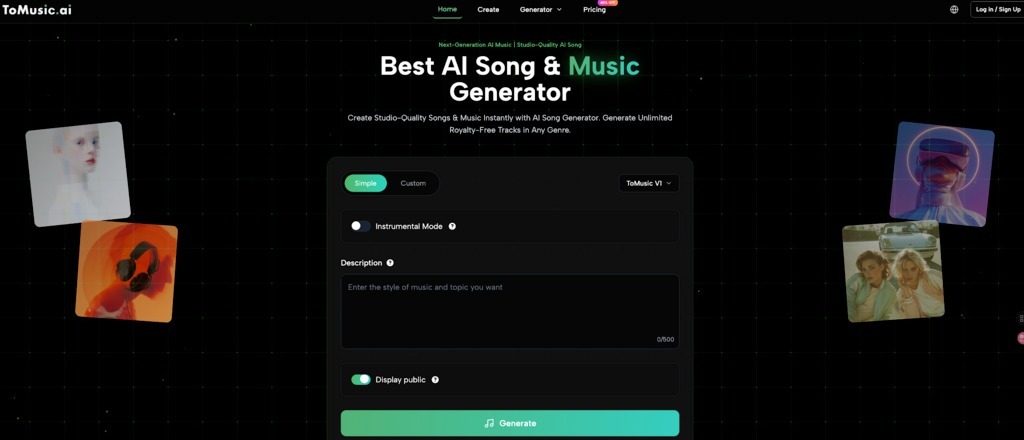
Want custom BGM for your vlog, dream story, or study session without composing skills? AI Music Generator platforms like ToMusic.ai let you input text, moods, or ideas to generate tracks with vocals or instrumentals. Anyone can now create studio-quality music effortlessly, skipping expensive tools or training.
This guide covers why personalized music matters, why ToMusic excels, and a step-by-step process using its generators like Dream To Music.
Why You Need Personalized Music Tracks
In a world flooded with content, audio is your competitive advantage. Switching from static libraries to dynamic AI generation offers three critical benefits:
- Unmistakable Brand Identity: Generic library tracks are used by thousands of creators. AI generation creates a sonic fingerprint that is unique to your brand, ensuring your audience associates that specific sound only with you.
- Precise Emotional Narrative: Stock music is “one size fits all.” AI is bespoke. If your video transitions from tension to relief, you can generate a track that mirrors that exact emotional arc, enhancing the storytelling rather than distracting from it.
- Commercial Safety: Copyright strikes are a creator’s nightmare. ToMusic.ai provides clear commercial licensing on paid plans, allowing you to monetize on YouTube or use tracks in ads without fear.
Why ToMusic.ai Excels for Personalization
Not all AI generators are created equal. ToMusic.ai stands out by offering a depth of features designed for both casual users and professionals.
1. Advanced Multi-Model Engine (V1–V4)
ToMusic allows you to choose your audio engine based on your needs. The platform features models ranging from V1 to V4.
- V3 Model: Excellent for rich harmonies and complex instrumentals.
- V4 Model: The premium choice for high-fidelity vocal clarity and intricate song structures, available to paid subscribers.
2. Unmatched Song Duration
Most competitors limit generations to short 2-minute clips. ToMusic.ai breaks this barrier, allowing users on Starter and Unlimited plans to generate full songs up to 8 minutes long. This is game-changing for creating background ambience, meditation tracks, or full-length songs.
3. A Generator for Every Need
The platform offers specialized tools tailored to specific inputs:
- Story To Music Generator: Turns narratives into songs.
- Dream To Music Generator: Dreamy, surreal tracks.
- Mood To Music Generator: Emotion-based BGM.
- Weather To Music Generator: Climate-inspired sounds.
- Slowed and Reverb Generator: Ethereal effects.
- Calming Classroom / Relaxing Music Generator: Focus aids.
- Anxiety To Song Generator: Soothing anthems.
- Plus Vlog Music, Quotes to Music, Poems to Music, etc.
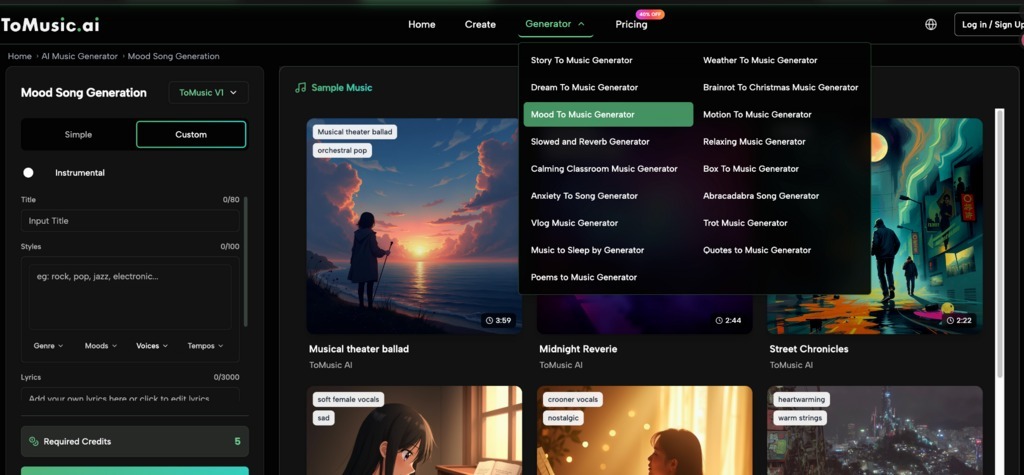
These templates make personalization intuitive.
Four Steps to Create Your Masterpiece
Follow this optimized workflow (Write → Wait → Review → Download) to get the best results.
Step 1: Input and Configuration
Navigate to your chosen generator (e.g., Dream To Music).
- Select Your Mode: Choose Instrumental for background music or Lyrics for songs. You can write your own lyrics or let the AI generate them.
- Model Selection: If you have a paid plan, select Model V4 for the highest quality vocals.
Step 2: Generate with Priority
Click Generate. The AI analyzes sentiment, rhythm, and structure.
- Wait Time: Processing typically takes 30 seconds to a few minutes.
- Priority Queue: Users on Starter and Unlimited plans benefit from a priority processing queue, ensuring faster turnaround.
Step 3: Review and Refine
Review the output in the player.
- Iterate: If it’s not perfect, use the “Remix” function. Tweak your prompt—perhaps change “energetic” to “uplifting”—and try again.
- Compare: Use your library to compare different versions.
Step 4: Download and Deploy
Once satisfied, export your track.
- Format Matters: Paid plans allow WAV format downloads, which is essential for professional video editing to prevent audio quality loss.
- Ownership: Confirm your commercial license status. With Starter or Unlimited plans, you have full rights to use the track.
Real-World Applications by Industry
Who benefits most from ToMusic.ai?
- YouTubers & Streamers: Create custom intros/outros that don’t get copyright claimed. Use the “Vlog Music” generator for voice-over friendly tracks.
- Indie Game Developers: Generate ambient background noise for different game levels using the “Weather to Music” or “Dream to Music” tools.
- Wellness Coaches: Produce 8-minute long meditation tracks using the “Relaxing Music” generator without paying expensive royalties.
Choosing the Right Plan for Your Needs
Based on your production volume, choose the tier that fits you best:
| Feature | Free | Starter ($6.99/mo) | Unlimited ($59/mo) |
| Quota | 8 Songs (One-time) | ~12,000 Songs/mo | Unlimited Generation |
| Duration | 4-minute songs | 8-minute songs | 8-minute songs |
| Downloads | None (Preview Only) | WAV & MP3 | WAV & MP3 |
| License | Personal / Public | Commercial License | Commercial License |
Best for Beginners: The Free plan is perfect for testing prompts and experiencing the AI V1 model.- Best for Creators: The Starter plan offers incredible value at $6.99/mo for commercial rights and high-quality V4 model access.
- Best for Power Users: The Unlimited plan is for agencies or heavy users who need endless generation and priority support.
Conclusion
ToMusic.ai bridges the gap between your creative vision and reality. With tools like the Dream To Music Generator, 8-minute track capabilities, and commercial protection, you have a complete studio at your fingertips. Don’t just imagine the sound—create it today at ToMusic.ai.