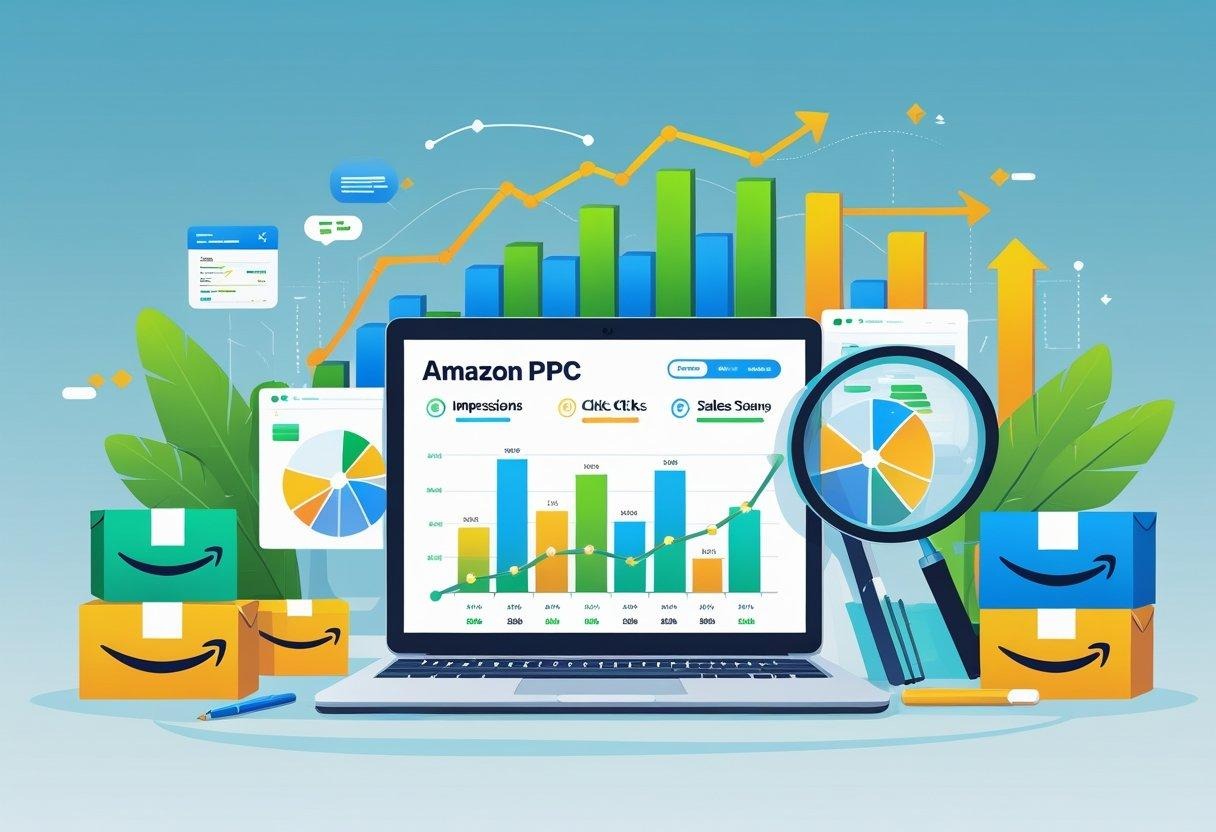
Scaling Amazon PPC can feel complex at first, but it becomes straightforward when you focus on the right strategy. You need to manage budgets, bids, and keywords while keeping an eye on your profit margins. To scale your Amazon PPC as a new seller, you must start small, test carefully, and gradually invest more in what delivers consistent results.
You build momentum by tracking key data, refining underperforming ads, and using Amazon’s reporting tools to see what drives conversions. Each data point helps guide smarter decisions, allowing you to optimize spend and maintain control as you grow. By approaching PPC as a performance tool, not a guessing game, you create a strong base for profitable scaling.
Over time, scaling means more than raising your ad spend—it’s about improving efficiency across campaigns. You develop a structured system that increases visibility, protects your margins, and strengthens your position in search results.
Key Takeaways
- Start small, test results, and invest in proven campaigns.
- Track performance metrics to guide smarter optimizations.
- Treat scaling as a gradual process built on consistent efficiency.
Setting Up Amazon PPC Campaigns for New Sellers

Building a solid PPC foundation helps you attract relevant traffic, test demand, and manage ad costs effectively. You can improve performance by selecting the right campaign type, targeting profitable keywords, and setting realistic budgets.
Choosing the Right Campaign Type
Amazon offers several campaign types, but Sponsored Products, Sponsored Brands, and Sponsored Display are the main options. For new sellers, Sponsored Products is usually the best choice because it directly promotes individual listings and helps generate early sales data.
Start with automatic targeting to let Amazon find search terms for you. This helps identify which keywords convert. Once you gather enough data, shift to manual campaigns for better control over bids and targeting.
Use Sponsored Brands only after your store has several high-quality listings and a consistent brand message. Sponsored Display works well for retargeting visitors who viewed your products but didn’t purchase. Focusing on one campaign type at a time makes it easier to track and manage performance.
| Campaign Type | Best For | Control Level | Use Case |
| Sponsored Products | New sellers | Moderate to high | Boost product visibility |
| Sponsored Brands | Established sellers | High | Build brand awareness |
| Sponsored Display | Experienced users | Moderate | Retarget past visitors |
Keyword Research Strategies
Effective keyword selection ensures that your ads appear for searches most likely to lead to sales. Start with broad keywords to gather data, then focus on high-performing phrases with strong click-through and conversion rates.
You can use tools like Amazon’s Search Term Report, Helium 10, or Jungle Scout to find keywords with good balance between search volume and competition. Look for long-tail keywords (three or more words) that show buyer intent, such as “eco-friendly water bottle” instead of “water bottle.”
Organize keywords by group—branded, generic, and competitor terms—and monitor performance regularly. Adding negative keywords prevents wasted spend on irrelevant traffic. Updating your list every few weeks keeps your campaigns efficient and responsive to search trends.
Budget Allocation Techniques
Proper budget management helps you scale wisely without overspending. Begin with a daily budget that covers at least 10–15 clicks per main product. This provides enough data to evaluate performance.
Use bid adjustments to control how much you spend on keywords that convert well versus those that underperform. Gradually raise bids for profitable terms while lowering or pausing unproductive ones.
Track your ACoS (Advertising Cost of Sales) closely. A lower ACoS indicates good efficiency, but it’s normal for it to start higher while you collect data. Reviewing results weekly lets you adjust before costs rise.
If you sell multiple products, allocate more funds to top sellers or listings with proven demand. This focused approach ensures your money goes to the most effective campaigns and creates a foundation for future scaling.
Optimizing Campaign Structure for Scale

A clear campaign structure helps you control spend, compare performance, and make accurate bidding decisions. Efficient organization reduces wasted budget and improves how Amazon delivers ads across different products and audiences.
Organizing Ad Groups Effectively
Create ad groups that separate products by their category, price range, or conversion performance. Keeping ad groups tightly themed lets you control which keywords and ads pair with each product type. This also helps you analyze data and track which products deserve more budget.
Avoid adding too many products to one ad group. When items vary widely in cost or profit margin, your bidding decisions become inaccurate. Instead, use one main product or a small group of similar SKUs per ad group. Manage each group’s keywords and bids independently for better clarity.
For example:
| Ad Group | Product Type | Audience Focus |
| AG1 | Blue Running Shoes | Fitness Shoppers |
| AG2 | Leather Work Boots | Outdoor Workers |
This approach keeps your spending balanced and makes optimization faster.
Using Match Types Strategically
Choosing the right keyword match types determines how often—and where—your ads appear. Broad match gives wider reach but can attract less relevant clicks. Phrase match narrows targeting while still finding shoppers using related keywords. Exact match shows ads only for searches that match your chosen terms.
Use a mix of match types to test what converts best. For new campaigns, begin with broad or phrase to collect search term data. Once you see which keywords bring sales, shift budget to exact match for higher efficiency. Regularly check the search term report to add negative keywords and prevent wasted spend.
Balanced keyword control helps maintain profitability as you scale.
Segmenting Products for Better Performance
When you group products by performance, you can adjust bids and budgets with precision. Divide listings by sales volume, margin, or seasonality. Top-selling or high-margin products may warrant higher bids and dedicated campaigns, while lower performers fit better into testing groups.
Keep variations—such as color or size—within their own campaigns if performance differs. This ensures accurate ACoS tracking and clearer data. For instance, lightweight items may convert differently than bulkier ones due to shipping factors.
By segmenting products, you identify where increased spend will drive consistent returns and avoid overspending on unprofitable listings. This keeps your growth steady and measurable.
Monitoring Key Performance Indicators
You improve your Amazon PPC strategy by tracking concrete data that shows whether your ads generate profitable results. Focusing on cost efficiency and shopper engagement helps you spot issues early and make measurable improvements.
Tracking Spend and Sales
Tracking your ad spend and sales performance gives you a clear view of how much revenue your campaigns produce compared to the money you invest. Key metrics include:
| Metric | Description | Goal |
| ACoS (Advertising Cost of Sales) | Ad spend ÷ ad revenue | Lower is better for profitability |
| TACoS (Total Advertising Cost of Sales) | Ad spend ÷ total (ad + organic) revenue | Helps show ad impact on overall business |
| ROAS (Return on Ad Spend) | Ad revenue ÷ ad spend | Higher values show efficient campaigns |
You should review these numbers weekly to monitor changes. A sudden rise in ACoS can signal increased competition or poorly performing keywords. If TACoS stays flat while sales rise, it means your organic ranking is improving and ads support growth beyond paid clicks.
Adjust budgets, pause weak ads, and allocate more spend to campaigns or keywords with strong ROAS. Tracking spend alongside revenue keeps your PPC investment aligned with profit goals.
Interpreting Click-Through Rate and Conversion Rate
Click-Through Rate (CTR) and Conversion Rate (CVR) reveal how effectively your ads attract and convert shoppers. CTR measures the percentage of people who click after seeing your ad, while CVR shows how many visitors make a purchase once they land on your product page.
High CTR with low CVR often indicates that your ad copy draws attention but your product page or price doesn’t persuade buyers. Low CTR with decent CVR might mean your ad impressions go to the wrong audience.
Compare CTR and CVR by campaign type and keyword group. For example, branded keywords usually get higher CTRs, while broad or competitor keywords may need stronger visuals or refined targeting. Monitoring both metrics together helps you balance traffic volume with conversion quality, maximizing your ad efficiency.
Bid Management and Optimization
Effective bid management helps you balance visibility and profitability in Amazon PPC. You control how much you pay for each click, which determines how often your ads appear and how competitive they are. Using data to optimize bids can reduce wasted ad spend and improve return on investment (ROI).
Manual vs. Automated Bidding
You can manage bids manually or use Amazon’s automated bidding tools. Manual bidding gives you full control over each keyword, ad group, or product ad. This method works well when you have time to review performance and make adjustments based on conversion data. You can raise bids for top-performing keywords and lower them for underperforming ones.
Automated bidding, on the other hand, adjusts your bids in real time using Amazon’s algorithm. Tools such as Dynamic Bids (Up and Down) increase bids for ads more likely to convert and reduce them when the chance of conversion is low. It’s efficient for sellers who prefer set‑and‑monitor strategies rather than daily manual updates.
A hybrid approach often works best. You can start with automation to collect data, then switch to manual adjustments for high-spending keywords where tighter control can improve margins.
| Method | Control Level | Best For |
| Manual | High | Experienced advertisers, niche campaigns |
| Automated | Medium | Beginners, large catalogs |
Adjusting Bids by Search Term
Not all search terms deliver the same results. Some bring high impressions but low sales, while others convert reliably at a lower cost. You should review search term reports regularly to find profitable keywords and identify wasted spend.
Increase bids for terms with strong conversion rates and solid click‑through rates (CTR). Reduce or pause those that spend heavily but rarely convert. Grouping keywords into performance tiers helps simplify changes. For example:
| Tier | Action | Criteria |
| High performer | Increase bid | High CTR + strong sales |
| Mid performer | Maintain bid | Moderate CTR + steady sales |
| Low performer | Lower or pause | Low CTR + few or no sales |
This approach builds efficiency by focusing your ad spend on the most valuable searches while controlling costs.
Seasonal Bid Adjustments
Consumer behavior changes throughout the year. Adjusting bids for seasonal trends helps you stay competitive when demand rises and spend less during slower periods. Holidays, shopping events, and even weather changes can affect performance.
Before peak seasons like Prime Day or the holidays, analyze last year’s metrics to identify profitable times. Raise bids slightly on high‑converting keywords to maintain visibility during busy shopping days. After those events, return bids to normal levels to avoid overspending.
Use performance tracking tools to spot early spikes in impressions or conversion rates. This data lets you time bid adjustments more accurately. Consistent monitoring leads to steadier performance across changing seasons without large swings in ad costs.
Scaling Strategies for New Sellers
You can scale your Amazon PPC campaigns by identifying high-performing keywords, controlling wasted spend, and expanding ad reach through new products. Each step requires data analysis and structured adjustments that protect profitability while driving sustainable growth.
Expanding Winning Keywords
Start by analyzing your search term reports to find keywords that bring consistent conversions at a profitable cost. Focus on high click-through rate (CTR) and low Advertising Cost of Sales (ACoS) keywords. Move these terms into new campaigns or ad groups with higher budgets to increase visibility and capture more traffic.
Use exact match keywords for full control over targeting. You can also explore closely related long-tail variations to reach specific buyers with strong purchase intent. These usually have lower competition and can deliver steady results.
Here’s a simple approach:
| Step | Action | Goal |
| 1 | Review search term data weekly | Identify top-performing keywords |
| 2 | Add strong performers to new campaigns | Improve budget efficiency |
| 3 | Increase bids gradually | Scale traffic while tracking ROI |
By repeating this process, you’ll steadily grow clicks and conversions without overspending on unproven keywords.
Adding Negative Keywords
Negative keywords protect your budget by stopping ads from showing on irrelevant searches. When you notice clicks without conversions, inspect those search terms and mark them as negative. This improves your ad relevance and reduces wasted spend.
Types of negative keywords include:
- Irrelevant terms (words unrelated to your product)
- Browsing terms (such as “free,” “cheap,” or “review”)
- Mismatched variations (words that look similar but describe another item)
Add negative keywords at the ad group or campaign level as needed. Use broad or phrase match types to block a range of poor-quality traffic. As your campaigns collect more data, refine the list weekly. This ongoing process keeps your ads shown only to shoppers most likely to buy.
Launching New Product Campaigns
Once your first campaigns show good performance, create new PPC campaigns for related products or bundle offers. This spreads your visibility across more listings and helps you gather insights on new buyer segments.
Set small test budgets at first. Use what you learned from existing campaigns—such as keyword types and bid ranges—to guide setup. Collect early data over a few weeks before making bid changes.
Try Sponsored Products for individual listings and Sponsored Brands if you have a storefront. This mix builds brand recognition while capturing different types of shopper attention. Over time, adjust bids and keywords based on conversion data to scale the most profitable new campaigns.
Leveraging Advanced PPC Tools
You can improve ad performance, reduce wasted spend, and scale campaigns faster by using advanced PPC tools. They allow you to automate data analysis, fine-tune keyword targeting, and manage bids more efficiently.
Using Amazon Advertising Console
The Amazon Advertising Console gives you direct access to campaign metrics and controls within Amazon’s system. You can create, manage, and optimize ads for Sponsored Products, Brands, and Display campaigns from one dashboard.
Use the Reports feature to track metrics like click-through rate (CTR), conversion rate, and Advertising Cost of Sales (ACoS). This helps you identify which products or keywords perform best. You can then adjust bids or move underperforming items to new campaigns.
The built-in automation tools let you set dynamic bids that increase or decrease in real time. For example, you can automatically raise bids when ads are likely to convert. This feature helps you stay competitive in auctions without constant manual updates.
You can also use bulk operations to edit multiple campaigns at once, saving time as your account grows. The console’s insight tools highlight trends that help you reallocate your budget toward better-performing campaigns.
Third-Party Automation Solutions
Third-party PPC tools add extra control and automation beyond what Amazon provides. These platforms use AI-driven algorithms to manage bids, discover new keywords, and optimize campaign structure.
Some popular tools include software that offers automated campaign creation and keyword harvesting. You can set performance goals, and the system continuously adjusts bids and budgets to reach them.
Many solutions also include features such as:
- Hourly bid adjustments to keep ad performance stable
- Custom rule-based automation for different product types
- Cross-account management for sellers running multiple brands
Third-party dashboards often provide deeper analytics and clearer visibility into performance trends. This helps you make data-based decisions more quickly, allowing you to focus on strategy rather than daily campaign maintenance.
Analyzing Results and Continuous Improvement
You improve Amazon PPC performance when you track results carefully, experiment with ad variations, and make changes based on verified data. Focus on how metrics reflect buyer behavior and use these insights to strengthen both spend efficiency and sales performance.
A/B Testing Ad Variations
A/B testing helps you see what works best by comparing two or more ad versions under similar conditions. Test only one element at a time—such as headline, image, or keyword match type—to identify which change drives better results.
Use statistically significant data before deciding the winner. Running tests for at least 7–14 days prevents misreading short-term trends. Keep all external factors, like budget and time of day, consistent during testing.
When reviewing results, focus on clear metrics:
| Metric | Purpose | Example Insight |
| CTR (Click-Through Rate) | Measures engagement | Higher CTR may signal stronger keyword relevance |
| CVR (Conversion Rate) | Tracks sales performance | A new product image improves trust |
| ACoS (Advertising Cost of Sales) | Balances profit and spend | Declining ACoS shows better efficiency |
This approach builds a clearer picture of what combinations of creative, copy, and targeting actually move the needle for your campaigns.
Implementing Data-Driven Changes
Apply insights from performance data rather than assumptions. Let metrics like ACoS, ROAS, and impressions guide your next steps. For instance, lower bids on poor-performing keywords while allocating more budget to high-converting search terms.
Adjust targeting to remove wasted spend. Regularly refine your negative keywords list to block irrelevant traffic. Small updates made over time often outperform large, infrequent changes.
Use a structured process:
- Review reports weekly.
- Identify patterns or anomalies.
- Implement one controlled change at a time.
- Re-check metrics after each update.
By making steady, informed adjustments, you strengthen profitability and maintain more consistent control over campaign growth.
Common Challenges and Solutions in Scaling
Scaling Amazon PPC often exposes limits in spending efficiency and profit control. You must balance the need for growth with the risk of overspending and lowering returns. Careful planning and data-based adjustments help you expand ads without draining your budget or reducing long-term earnings.
Budget Constraints
Limited budgets make it difficult to test new keywords or increase bids while maintaining visibility. You might feel pressure to invest heavily in advertising to compete, but this often causes spending to rise faster than sales. Start by setting daily and campaign-level caps that prevent overspending and track performance every few days.
Use ad segmentation to direct funds toward the products and keywords that deliver the best return. Pause or lower bids on poor performers. Tools like Amazon’s Budget Rules and third-party dashboards can help automate these changes and improve control.
When you need to scale, increase your budget gradually—no more than 10–15% at a time—so your data remains reliable. This slow growth allows you to spot cost spikes early. Monitoring metrics such as ACoS (Advertising Cost of Sales) and ROAS (Return on Ad Spend) helps you decide where spending will have the most impact.
Maintaining Profit Margins
As campaigns grow, rising bids and competition can quickly reduce profits. Many sellers focus on top-line revenue but forget to check how ad costs affect product margins. You should calculate your break-even ACoS to know the highest point your ads can reach before they become unprofitable.
Refine targeting by focusing on high-intent keywords and removing those that attract clicks but no conversions. This step keeps your cost per conversion low. Use automated bidding only if it aligns with your margin goals; otherwise, switch to manual control for your most important products.
Regularly review your cost per click, conversion rate, and net profit per sale. Combine these metrics in a simple table or tracker to find where small adjustments could restore profitability. Price changes, product bundling, or better listing optimization can also help absorb higher ad costs while preserving your margins.
Frequently Asked Questions
You can build more profitable PPC campaigns by learning how to structure your ads, track conversions, adjust bids, and scale with a clear goal in mind. Paying attention to ad data, customer search terms, and spending levels can help you make smarter decisions that improve results over time.
What steps should I follow to effectively structure my Amazon PPC campaign?
Start by choosing the right campaign type, such as Sponsored Products for new sellers. Group similar products together and use precise keywords that match buyer intent.
Set a realistic daily budget and define your bidding strategy. Monitor early performance and make small adjustments instead of major changes all at once.
How can I improve my Amazon PPC conversion rate?
Use clear, keyword-focused product titles and high-quality images. Optimize your product listings so that when shoppers click your ad, the page encourages them to buy.
Test different keyword match types and remove search terms that use budget but don’t convert. Track data weekly to identify which placements lead to sales.
What strategies are important for a new seller to scale PPC campaigns on Amazon?
Begin with smaller, tightly targeted campaigns and increase your budget only after you confirm consistent results. Focus on top-performing keywords before expanding to broader terms.
Use automatic campaigns to gather data, then build manual campaigns around the best-performing terms. Gradual scaling helps maintain profitability and prevents rapid cost increases.
Is it feasible for a new Amazon seller to generate $1000 a month solely through PPC?
It can be possible, but it depends on product quality, pricing, and market competition. Strong listings and solid keyword choices matter more than ad spend alone.
New sellers should aim first for positive return on ad spend (ROAS) and then focus on scaling once consistent sales appear. Results vary by niche and product demand.
What are the advantages of hiring an Amazon PPC agency for a new seller?
An agency can save time by setting up and managing campaigns using specialized tools and experience. They often have insight into bid management, keyword testing, and performance tracking.
Working with professionals may help reduce wasted ad spend, especially if you have limited time or PPC knowledge. For new sellers, this can lead to faster learning and steadier growth.
How often should I review and adjust my Amazon PPC campaigns for optimal performance?
Check your campaign data at least once a week. Review metrics like click-through rate, cost per click, and conversion rate.
Make small adjustments based on recent trends rather than daily fluctuations. Regular updates help your campaigns respond to seasonal changes and shifting shopper behavior.